
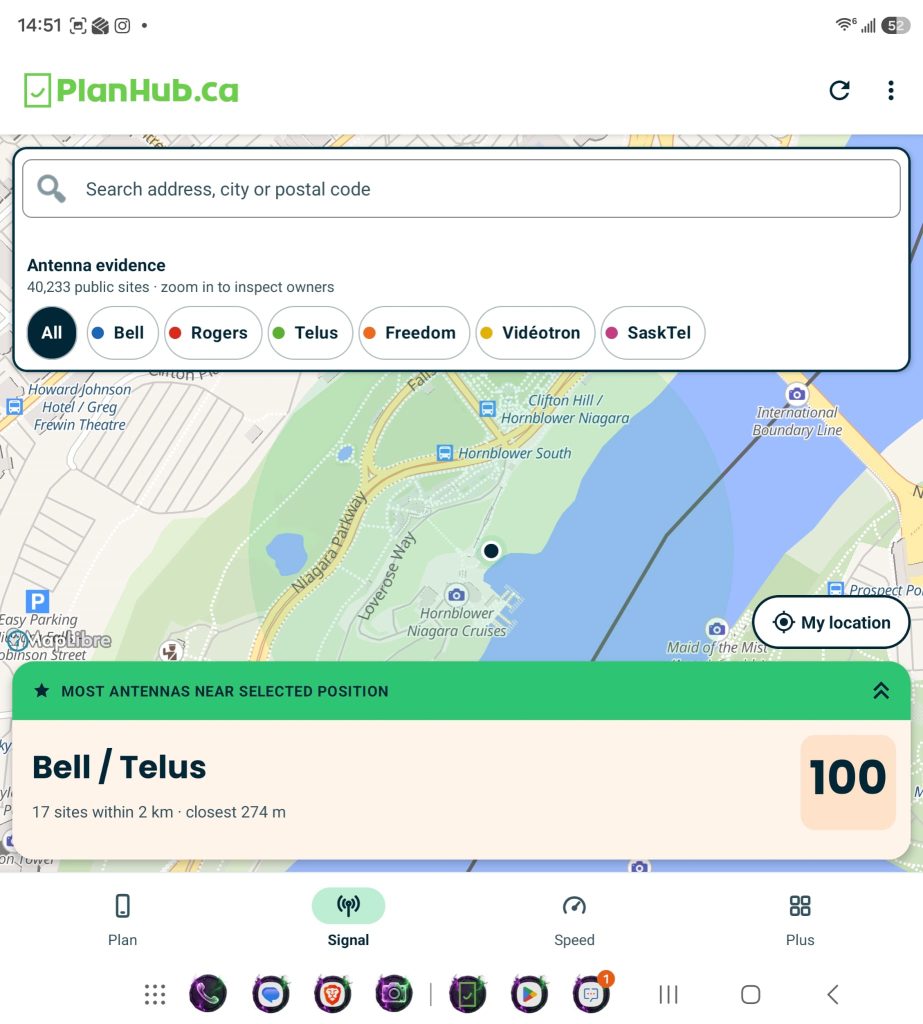


Two months after introducing Signal, the PlanHub app is evolving with version 1.3.0. A fresh design, clearer antenna information, optional access to mobile data usage statistics and a stronger focus on home Internet are among the improvements informed by community feedback.
Signal scores are estimates calculated on your device from official ISED antenna data. Since version 1.3.0, each provider is scored on its own network or a likely host network in your area, shown as “likely via.” The app does not measure your phone’s signal strength, and your SIM does not affect the scores. The index cannot establish which carrier will have the best reception. The previously announced multi-day measurement feature is no longer planned. Sorry for the confusion in our earlier communications.
An app shaped by its users
Since launching Signal in September, feedback from our users, including our original Reddit discussion, has helped us improve how we present results and explain what the tool can do.
A redesigned PlanHub experience
The refreshed design is aligned with PlanHub.ca. Plan, Signal, Speed and Plus are accessible from the main navigation. The Signal map lets you explore more than 40,000 antenna sites listed in the public data displayed by the app.
Signal: What does the score actually measure?
Signal does not measure radio reception. It calculates an infrastructure-based index using official antenna data from Innovation, Science and Economic Development Canada (ISED). The calculation runs on your device.
The index uses the number of antenna sites within 2 km (45%), 5 km (25%) and 10 km (15%), along with proximity to the nearest site (15%). It uses the selected location, which can come from GPS or an address search. A score of 100 does not mean perfect reception or 100% coverage. Buildings, terrain, congestion and other factors can affect actual reception. The index cannot determine which carrier will provide the best signal.
Clearer information about partner networks
Since version 1.3.0, Signal uses network-tier information to identify the network a provider most likely relies on in the selected area. Depending on the area, its score uses antennas from its own network or one likely host network. “Likely via” describes this estimate, not the network your phone is actually connected to.
Your SIM does not affect the scores. The data SIM’s carrier identifier may be read only to preselect a provider in the “Incorrect score?” form. This new button lets you report an estimate that seems inaccurate. The app also provides guidance when location services are disabled.
What data is used?
The score is calculated locally. To download network-tier information, the app sends the identifier of an approximate H3 resolution-5 geographic area (around 250 km²), rather than your exact GPS position. This describes the network-tier request, not every data processing activity in the app.
Explore multiple addresses
Use the search field in Signal to explore infrastructure near your home, workplace or other locations. The app does not perform background radio monitoring or multi-day measurements.
Plan: More control over your data preferences
Access to mobile data usage statistics is now optional, and the app remembers your preference.
Speed: A greater focus on home Internet
The Speed tab focuses on your home Internet connection. Alongside the speed test, you can explore Internet offers based on your postal code.
Language, security and stability improvements
Version 1.3.0 also brings improved French text and localized number formats, along with security and stability fixes.
Keep sharing your feedback
Does the information on the map match the infrastructure you know in your area? What could we explain more clearly? Use “Incorrect score?”, share your observations on r/PlanHub, or email us at [email protected].