This plan is only available in a bundled package: you must subscribe to a plan that combines both mobile and Internet services, or already be a customer of this provider (Internet or mobile) and complete your subscription by adding the missing service.
Set an alert to receive the best deals when they are announced
Track deals
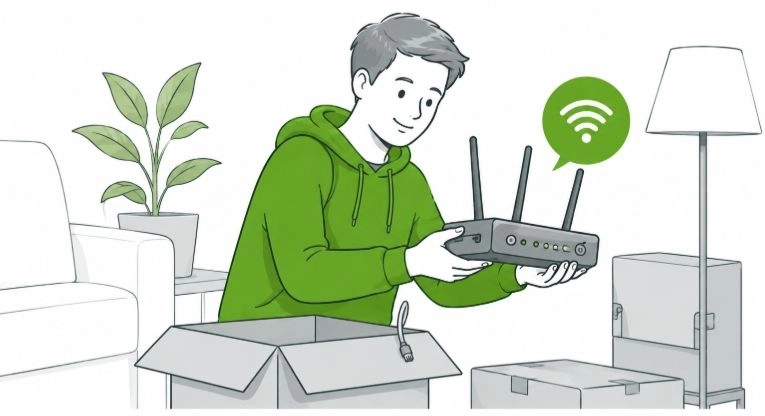
Moving Soon? How to Set Up Your Home Internet & Stay Connected
Between packing boxes, updating your address, and coordinating logistics, moving is chaotic enough. The last thing you want is to spend your first week in a new home disconnected from work, smart home devices, and your favorite streaming services.
New to Canada? Check out our
Canadian newcomer guide to learn how to set up essential services, including internet, mobile plans, banking, and more as you settle into your new home.
Whether you are planning weeks in advance or need an emergency connection for a temporary gap, this guide covers everything you need to know to ensure a seamless internet transition to your new address.
The Expert Connectivity Checklist: When to Act
Waiting until moving week to think about WiFi is a common pitfall. Follow this timeline to avoid service disruptions.
4 to 6 Weeks Before Moving:
Audit your current plan. Is your provider available at the new address? Are there cancellation fees? This is the ideal time to start comparing providers and shopping for a new plan if needed.
2 to 3 Weeks Before Moving:
Schedule your disconnection and activation dates.
Expert Tip:
Schedule your old internet to disconnect the day after you move out, and your new internet to activate the day before you move in. This overlap ensures you have internet access while cleaning your old place and immediately upon arriving at your new home.
Moving Day:
Keep your router, power adapters, and any networking accessories you own in a clearly labeled “Day One Essentials” box so they do not get buried under winter coats or kitchen supplies.
If your modem is rented from your current provider and you are switching services, do not bring it to your new address. Instead, pack it separately and follow your provider’s return instructions to avoid unreturned equipment fees.
Shop the Market and Schedule Installation
Postal Code Approximation:
Postal Code Saved:
Please update the postal code with yours for more accurate results.
Internet plans on this page have been tailored to match the postal code
Postal codes only for Quebec or Ontario are acceptedPlease input a valid postal code
A move is the perfect opportunity to upgrade your speed or lower your monthly bill. Because internet infrastructure varies by neighborhood, you don't have to stick with your current provider out of habit.
If you are moving and want to find the best plan available at your future address, simply enter your new postal code below. We will instantly compare the market to find the best, cheapest, and fastest plans available at your new home, allowing you to choose exactly what fits your household's needs.
The Best Value for Money Home Internet Plans Ontario
Postal codes only for Quebec or Ontario are acceptedPlease input a valid postal code
The best home internet plan depends on your budget and specific needs, which vary from household to household. Here are some key factors to consider when choosing the right internet plan for your home:
How many people are using the home Wi-Fi daily, on average?
Is anyone working from home and requiring a stable connection?
Is 4K video streaming (Netflix, Amazon Prime, YouTube) a regular activity?
Are bandwidth-intensive video games (VR, first-person shooters, etc.) played frequently?
If you need assistance, use PlanHub’s internet plan search tool. It will automatically recommend the best options for you based on your preferences.
Below are the best value for money home internet plans in Ontario, carefully selected based on popularity, pricing, and provider ratings.
Postal codes only for Quebec or Ontario are acceptedPlease input a valid postal code
The most affordable internet plans are designed for budget-conscious users who want reliable service at the lowest price. These plans typically offer unlimited data but at lower speeds compared to standard internet plans.
A cheap home internet plan may be suitable for your household if:
Members of your household don’t regularly stream high-resolution (4K) videos.
On average, household members use the internet for less than 2 hours per day (e.g., a senior living alone who uses the internet for emails and browsing).
You often spend entire days without using the internet.
Below are some of the cheapest internet plans available, perfect if these criteria fit your needs.
Postal codes only for Quebec or Ontario are acceptedPlease input a valid postal code
Nowadays, most home internet plans come with unlimited data. Below are the most popular unlimited home internet plans based on historical data from PlanHub users. As a general rule, the most popular plans tend to offer the best value.
When choosing the right internet plan, keep these key points in mind:
Postal codes only for Quebec or Ontario are acceptedPlease input a valid postal code
High-speed internet plans are ideal for households where online activities require significant bandwidth. To determine if a high-speed plan is suitable for your home, consider whether individuals are engaging in any of the following activities:
Streaming HD or 4K video (e.g., Netflix, YouTube, Roku)
Online gaming (especially multiplayer or cloud gaming)
Video conferencing (e.g., Zoom, Microsoft Teams, Google Meet)
Uploading and downloading large files (e.g., cloud backups, file transfers)
Live streaming (e.g., Twitch, YouTube Live, Facebook Live)
Virtual reality (VR) applications
Using online education platforms with live classes
Remote work involving real-time collaboration tools (e.g., Google Workspace, Microsoft 365)
Managing smart home devices (e.g., Google Home, Amazon Alexa)
Streaming high-quality music (e.g., Spotify in high-definition audio)
Below are some of the best high-speed home internet options in Ontario. For more options, perform a full internet plan search.
Postal codes only for Quebec or Ontario are acceptedPlease input a valid postal code
Internet providers sometimes offer temporary discounts on certain plans, often in response to market conditions or to match competitors’ prices. To make the right choice, be sure to review the plan details carefully, as promotions and deals may not always be reflected in the monthly price. Here are common promotional strategies you might encounter:
Free month(s) or a set number of months at a discounted rate
Cash back, where a percentage of your bill is refunded
Promotional codes, which may unlock discounts that are only available by using a specific code—be sure to check the plan details for the promo code
Below are plans that include special promotions. To stay informed about new deals, sign up for PlanHub Price Alerts.
Postal codes only for Quebec or Ontario are acceptedPlease input a valid postal code
Yes, Fiber Optic internet is available in Ontario.
Wondering what fiber optic internet is? Let us enlighten you. Fiber optic internet, also named FTTH for Fiber To The Home, harnesses the power of light and uses thin strands of glass or plastic to transmit data at incredible speeds. Fiber optic internet is the fastest and most-reliable internet service available on the market right now. If you’re wondering “Is there fiber Optics Near me?”, PlanHub got you covered by having gathered all the available plans using fiber optic technology in Ontario. The availability of fiber optic technology can vary from one neighbor to another within the same city. Perform a search using your postal code or sign up for an alert to be notified about availability at your address.
Sometimes timelines don't align. If you've moved in but are waiting for your provider to activate your line, you still need to stay connected.
Here are the two best temporary internet solutions for Canadian households.
Option A: Use a Canadian eSIM for Mobile Tethering
An eSIM allows you to instantly download a secondary data plan directly to your phone. By using your phone as a Wi-Fi hotspot, you can connect your laptop or TV without draining your primary mobile data cap.
Pros:
Instant Activation: Buy and connect within 5 minutes.
No Hardware: Requires no physical SIM card or router delivery.
Cons:
Device Dependency: The internet leaves when the phone leaves. If you run an errand, anyone left at home loses their connection.
Hardware Strain: Running a hotspot for hours can cause your phone to overheat and rapidly drain the battery.
Option B: 5G Home Internet (The Fastest Way to Get Connected)
If you need a reliable internet connection while waiting for a fiber or cable installation, 5G Home Internet can be an excellent temporary or long term solution. A dedicated wireless router connects to the nearest 5G cellular network and creates a WiFi network for your entire household.
Pros:
No Installation Required:
There is no need to schedule a technician visit or wait for wiring work. Simply plug the router into a power outlet and follow the setup instructions.
Supports Multiple Devices:
5G Home Internet works much like a traditional home internet connection, making it suitable for laptops, smart TVs, gaming consoles, smartphones, and smart home devices.
Fast Download Speeds:
Depending on network coverage in your area, 5G Home Internet can deliver speeds comparable to many entry level cable and fiber plans.
Flexible for Movers:
Because the service relies on the cellular network, it can be a convenient option for households that need internet access immediately after moving.
Before choosing a plan, compare the providers below. They currently offer some of the most competitive 5G Home Internet options available in Canada.
Pro Tip: Don't Forget Your Hardware and Smart Home
Transferring your internet isn’t just about the billing account. It’s also about the physical equipment.
Take a Picture of Your Setup:
Before unplugging anything at your old house, take a clear photo of the back of your modem and router. Knowing exactly which wire goes into which port can save a lot of frustration during setup.
Return Rented Equipment:
If you are switching providers, do not pack your old rented modem to take to the new house. Many PlanHub users report forgetting to return their modems and later receiving unexpected charges, often around $100. Be sure to return your old provider’s hardware, whether by mail or at a local retail store, to avoid unreturned equipment fees.
Update Smart Home WiFi:
If you receive a new router with a different WiFi network name and password, you will need to reconnect every smart TV, thermostat, doorbell camera, and smart speaker in your new home. A simple way to avoid this is to configure your new router with the same network name and password as your previous one.
Already Moved? Verify Your Connection
What if you have already unpacked, your internet is hooked up, but you aren't entirely sure you are getting the value you are paying for? Verify, don't guess. Use the speed test tool below to benchmark your current connection. Once the test is complete, we will instantly show you the best alternative options available for your exact speed tier. It’s the easiest way to see if competitor providers in your new area are offering the exact same performance for a fraction of the cost.
Evaluate and compare the speed of your internet connection
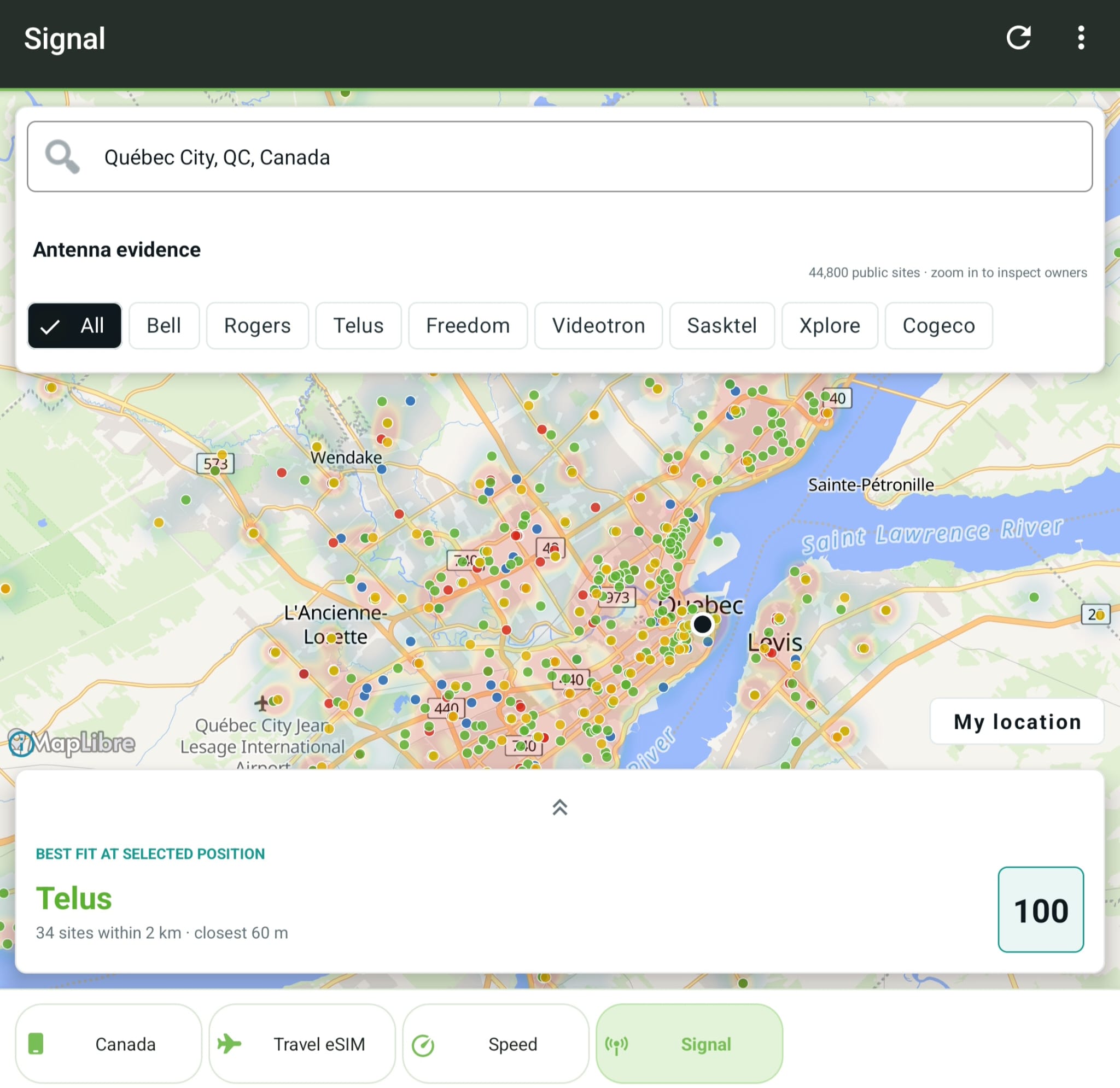
Wondering about your mobile coverage at your new place?
Use PlanHub.ca’s cell tower coverage map to verify whether your current mobile provider offers strong coverage at your new address. Checking coverage before you move can help ensure reliable service from day one. If coverage is limited in your new area, it may be worth comparing other providers before your move to avoid dropped calls, slow data speeds, or weak indoor reception.


 Chat with